
1. Choose Skins
On the Play tab, under With friends, tap Skins and pick the course. New to the game? Read the rules of Skins first.
2. Set up the game
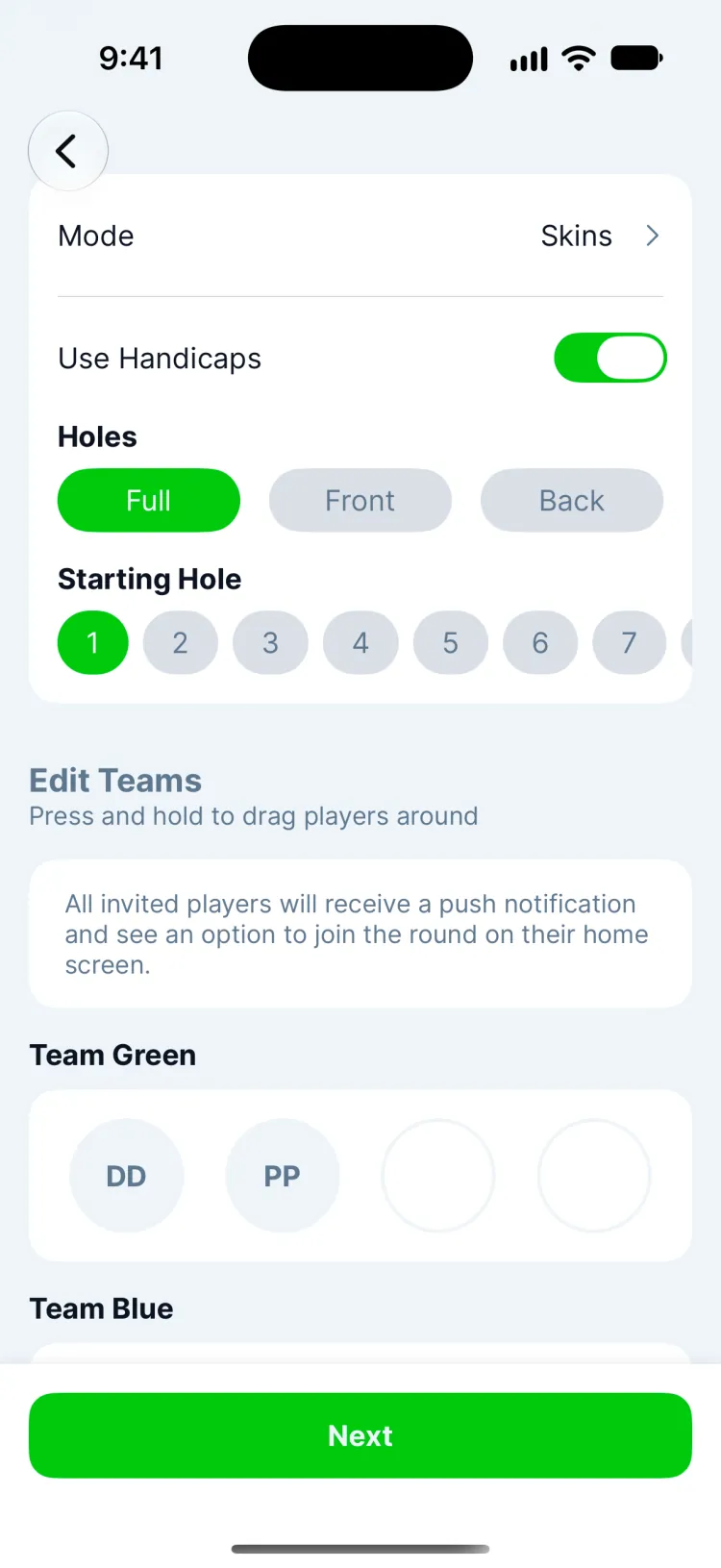
- Mode is already Skins. You can switch to Match, Stroke or Nines here.
- Holes and Starting Hole work like a solo round.
- Use Handicaps gives higher handicappers strokes on the hardest holes, so a net birdie can win a skin.
3. Add your group
Tap Invite Players to add friends who use Greens. They get a match invite to join or decline. For someone without the app, tap Add Guest and enter their name and handicap; you score their round alongside yours. Each team is a color: press and hold a player to drag them to another team, or Add Team for more. With two or more on a team, the team's best score on each hole counts.
4. Everyone confirms and plays
Tap Next. Each player opens the match, checks their tees and handicap and taps Confirm Details, and their round starts. From there everyone keeps score in their own app as usual, on iPhone or Apple Watch.
5. Follow the skins live
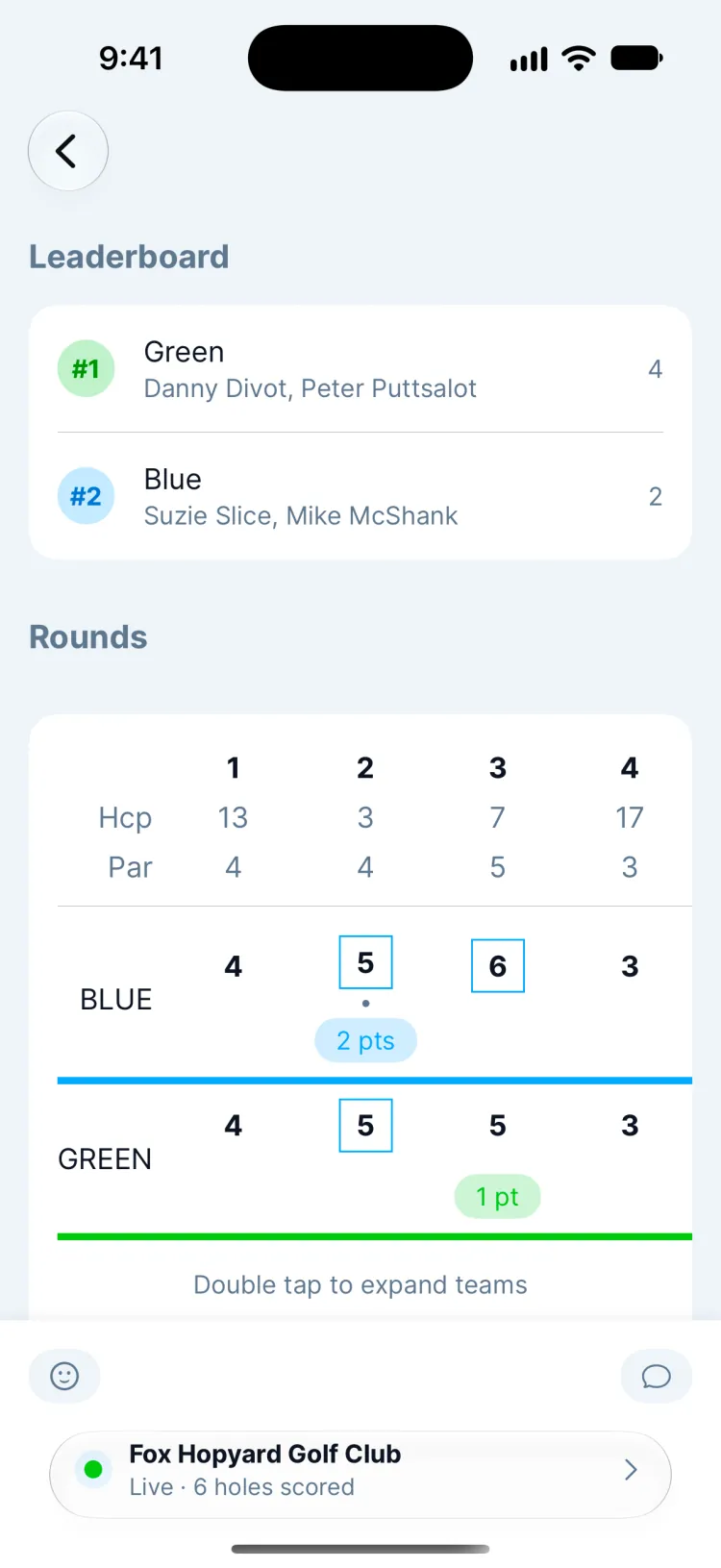
The scoreboard fills in as scores arrive. A hole is decided once everyone has a score: the outright low score wins its skins, and a tie carries the skin to the next hole won outright.
Updated November 12, 2026 by the Greens team.