
Score a hole
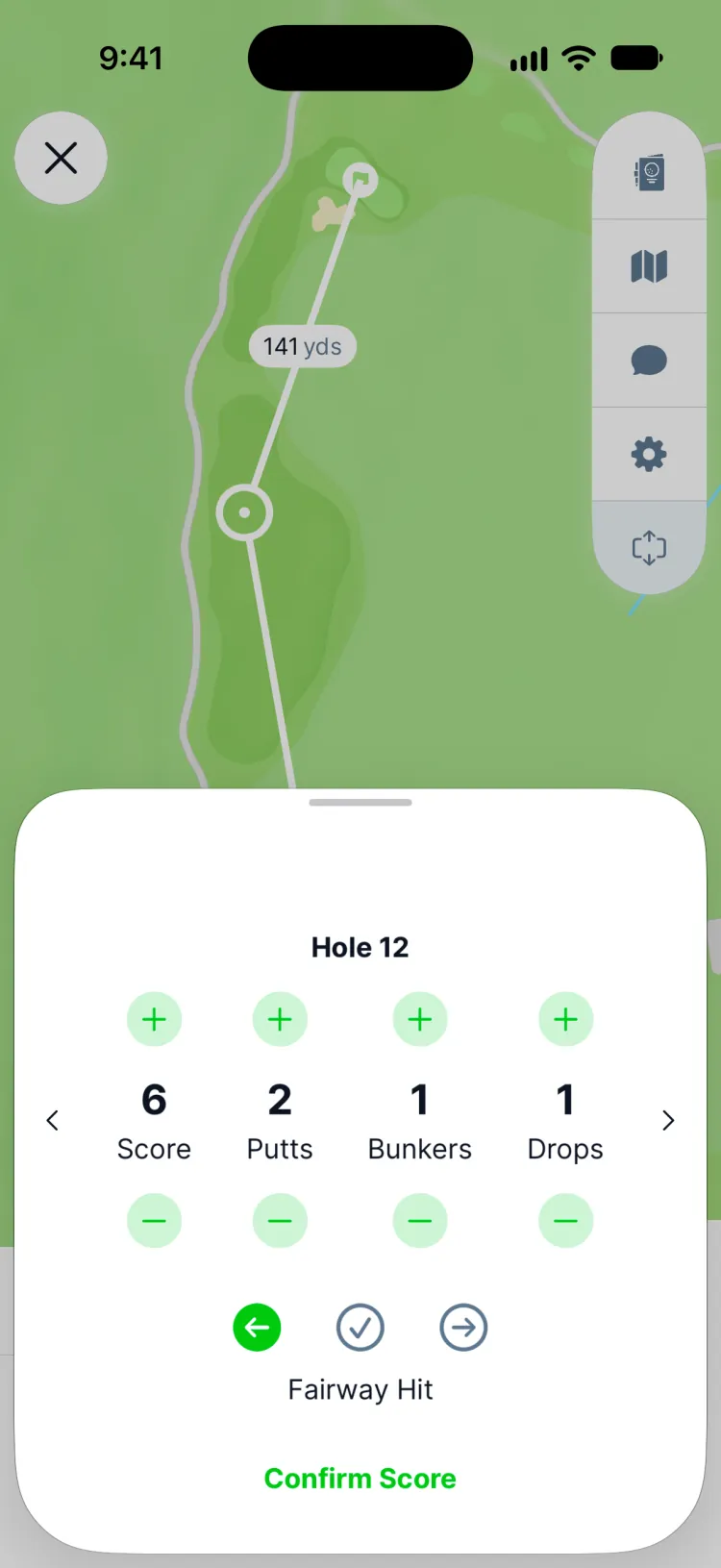
Each hole has a card with your Score, starting at par so a par is one tap. Then, if you track them:
- Putts
- Fairway Hit: left, hit or right, on par 4s and 5s
- Bunkers: how many you were in
- Drops: lost balls and other penalty drops
Tap Confirm Score and Greens moves to the next hole.
Only the score is required. Putts, fairways, bunkers and drops build your stats, so the more holes you fill them in, the more your stats can tell you.
No signal? Keep scoring
Greens saves every score on your phone first and sends it when you're back in range. A hole that hasn't reached Greens yet says Not synced yet, and nothing is lost if the app closes. You need a signal to start or reopen a round; every score you confirm is kept on your phone.
Fix a hole
Go back to any hole to change its score, or open the scorecard and tap a hole to Delete Score. You can also edit a round after you've finished it, and your handicap and stats update to match.
Finish your round
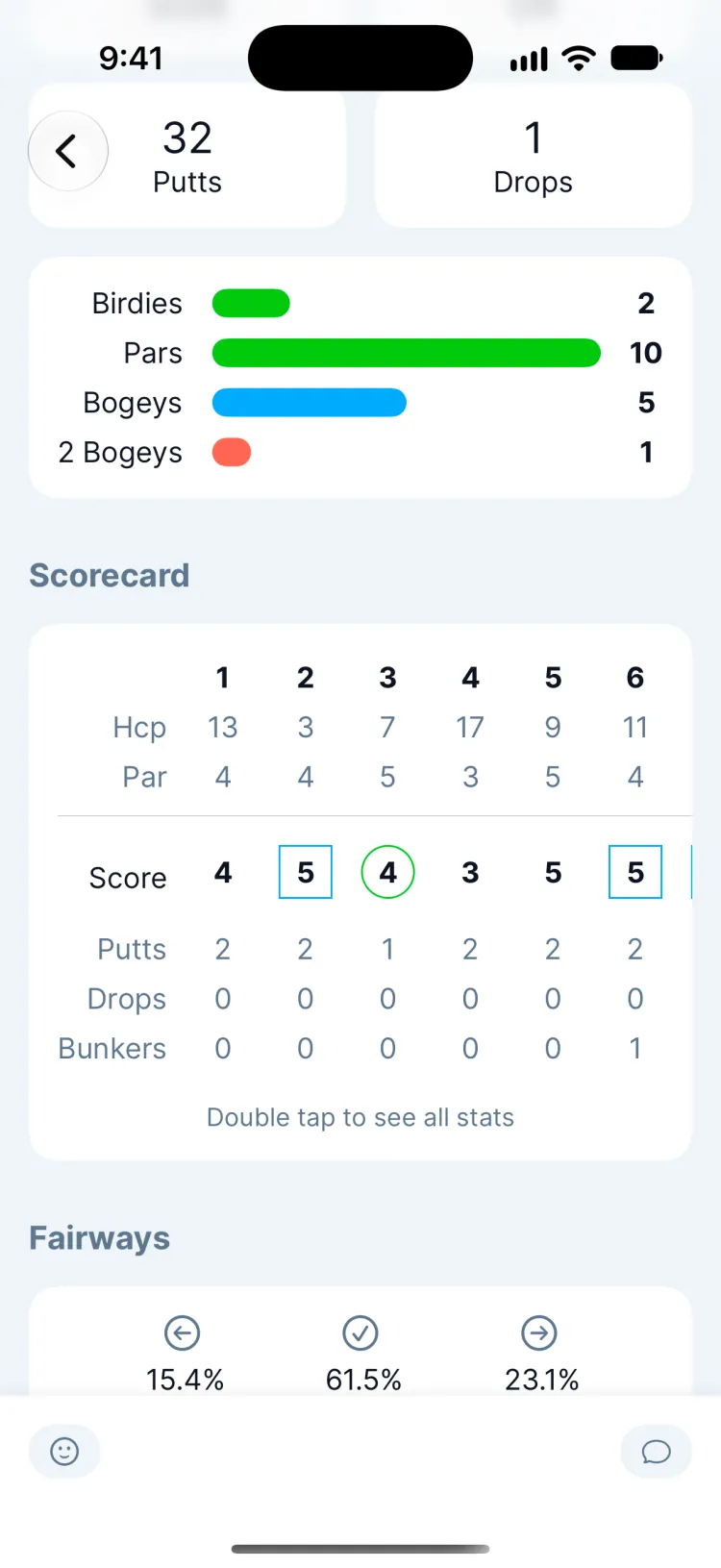
After the last hole, tap Review and Submit, check your card, then tap Submit. Your scorecard, stats and Greens handicap update straight away, and your friends see the round in their feed.
Updated November 12, 2026 by the Greens team.