
1. Start a round
GPS opens with every round you start in Greens, solo or in a group game. Greens has 13,000+ courses, with hole-by-hole GPS on most of them. On a course without it the map says No GPS Data, and you can still keep score as usual.
2. Read the yardage
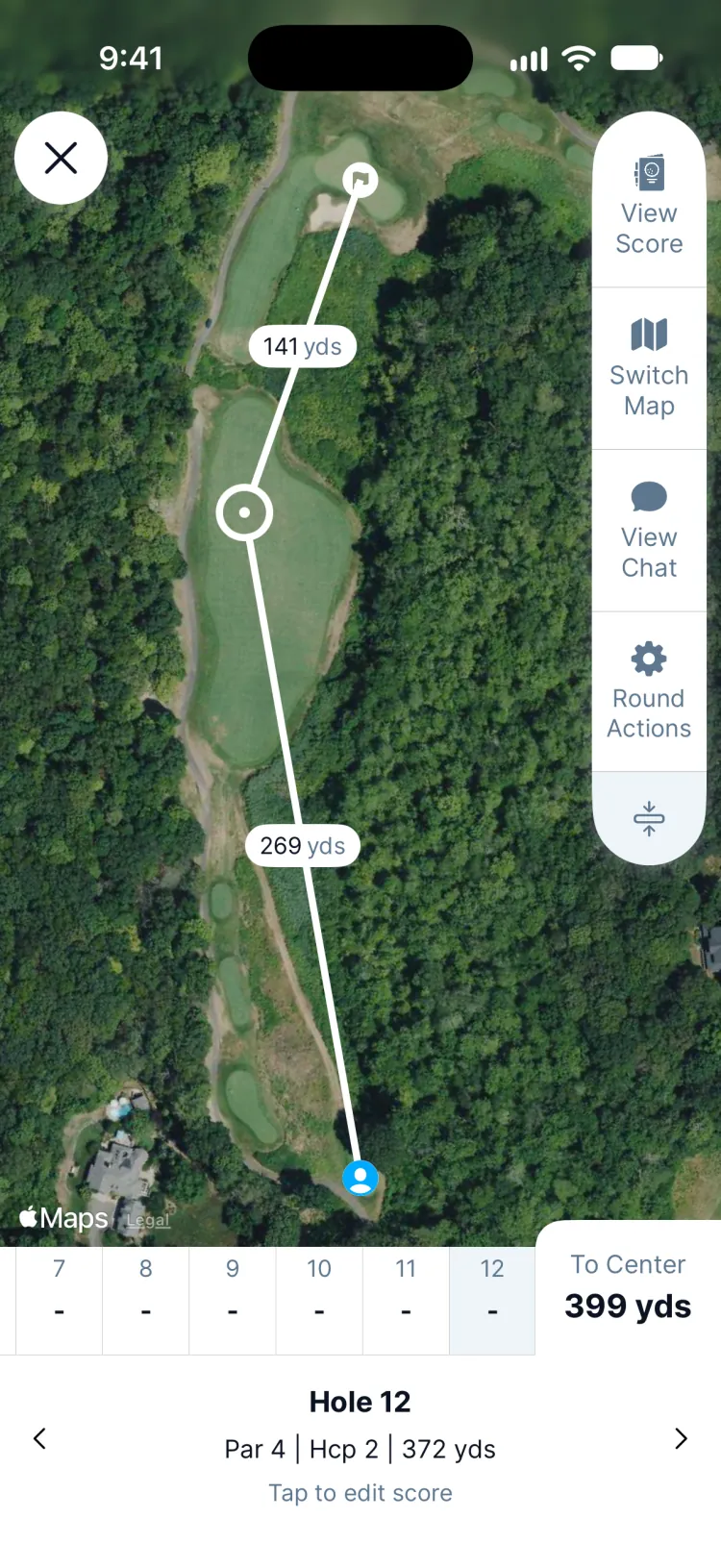
- To Center is how far you are from the middle of the green.
- The line runs from where you stand through a target to the flag, with the yards for each part. Drag the target to a layup spot, a bunker you want to carry or the corner of a dogleg.
- Under the map: the hole number, its par, its handicap and its length from your tees.
3. Move around the course
Tap the arrows beside the hole name to change holes. Switch Map swaps the satellite view for a standard map, View Score opens the scorecard and Tap to edit score opens the hole card to enter your score.
Updated November 13, 2026 by the Greens team.