
1. Start a group game
On the Play tab, under With friends, pick Stroke Play, Match Play, Skins or Nines, then the course. Set the holes, the starting hole and whether to use handicaps.
2. Add your group
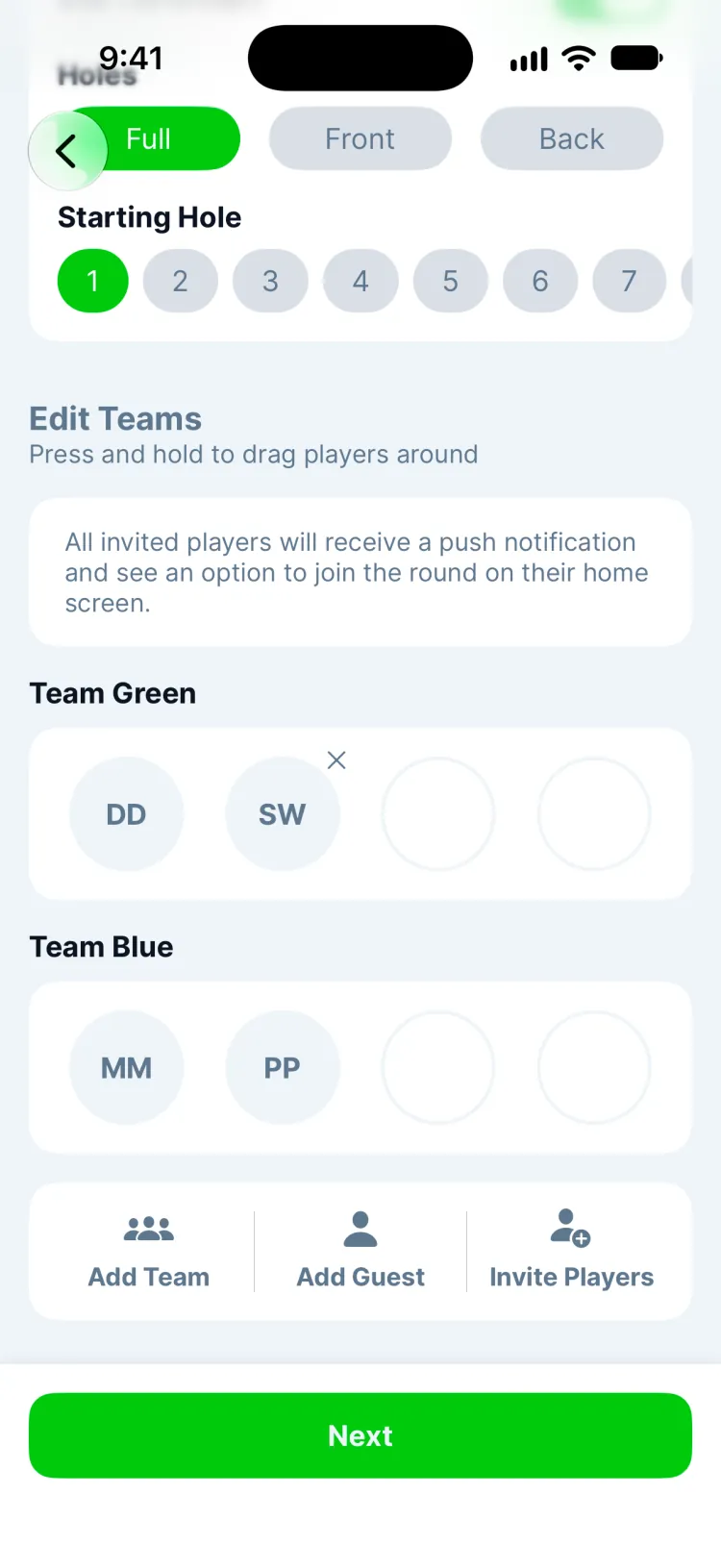
- Invite Players adds friends who use Greens. They get a notification and an invite on their Play tab.
- Add Guest adds someone without the app: just a name and handicap. You score their round alongside yours.
- Each team is a color. Press and hold a player to drag them to another team, or tap Add Team. With two or more on a team, the team's best score on each hole counts.
Tap Next when everyone's in.
3. What your friends see
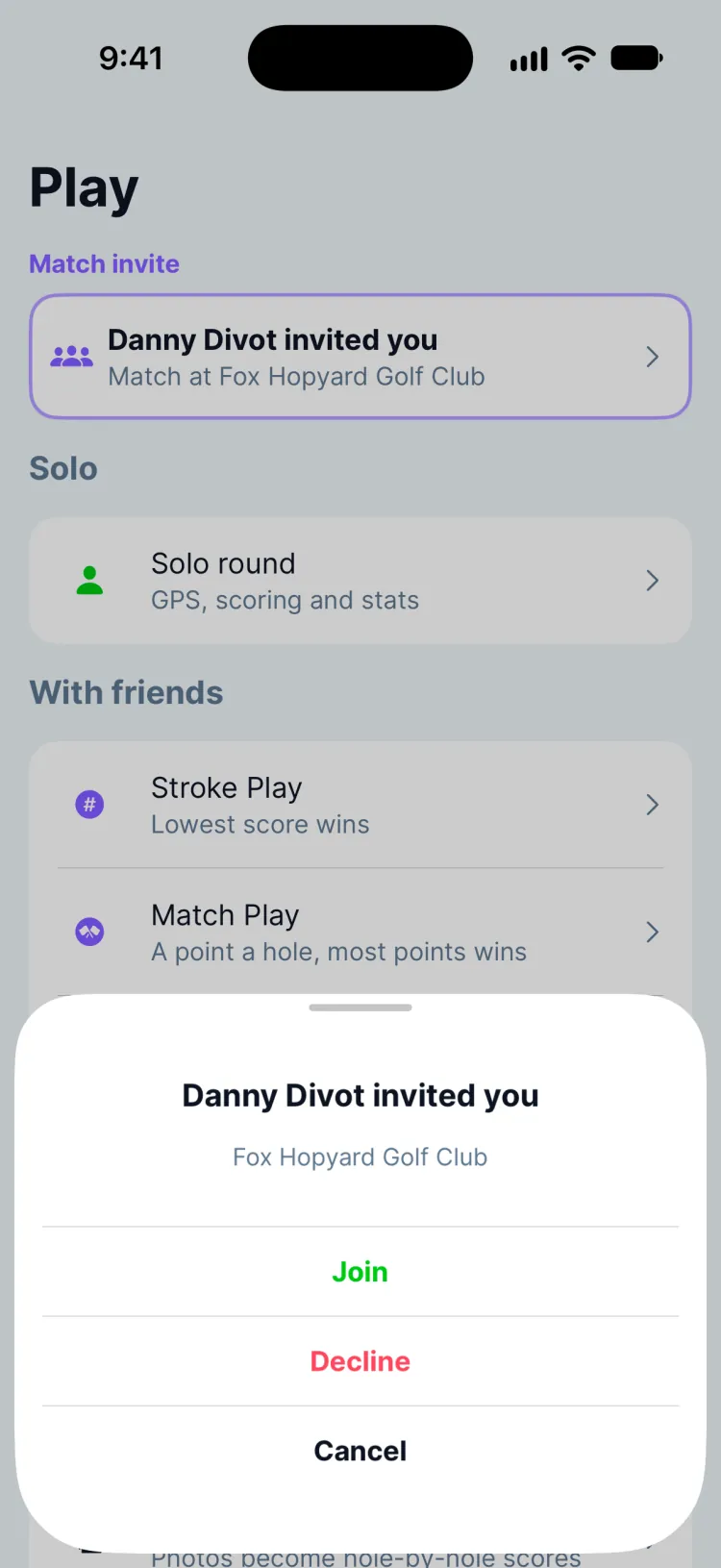
A notification says you invited them to a match, and a Match invite card shows the course on their Play tab. They tap Join (or Decline), check their tees and handicap, and tap Confirm Details to start their round.
4. Play
Everyone keeps score in their own app, and the scoreboard updates on every phone as holes come in.
Updated November 13, 2026 by the Greens team.