
1. Choose Enter a score
On the Play tab, tap Enter a score ("Post the total from a finished round") and pick the course you played.
2. Fill in the round
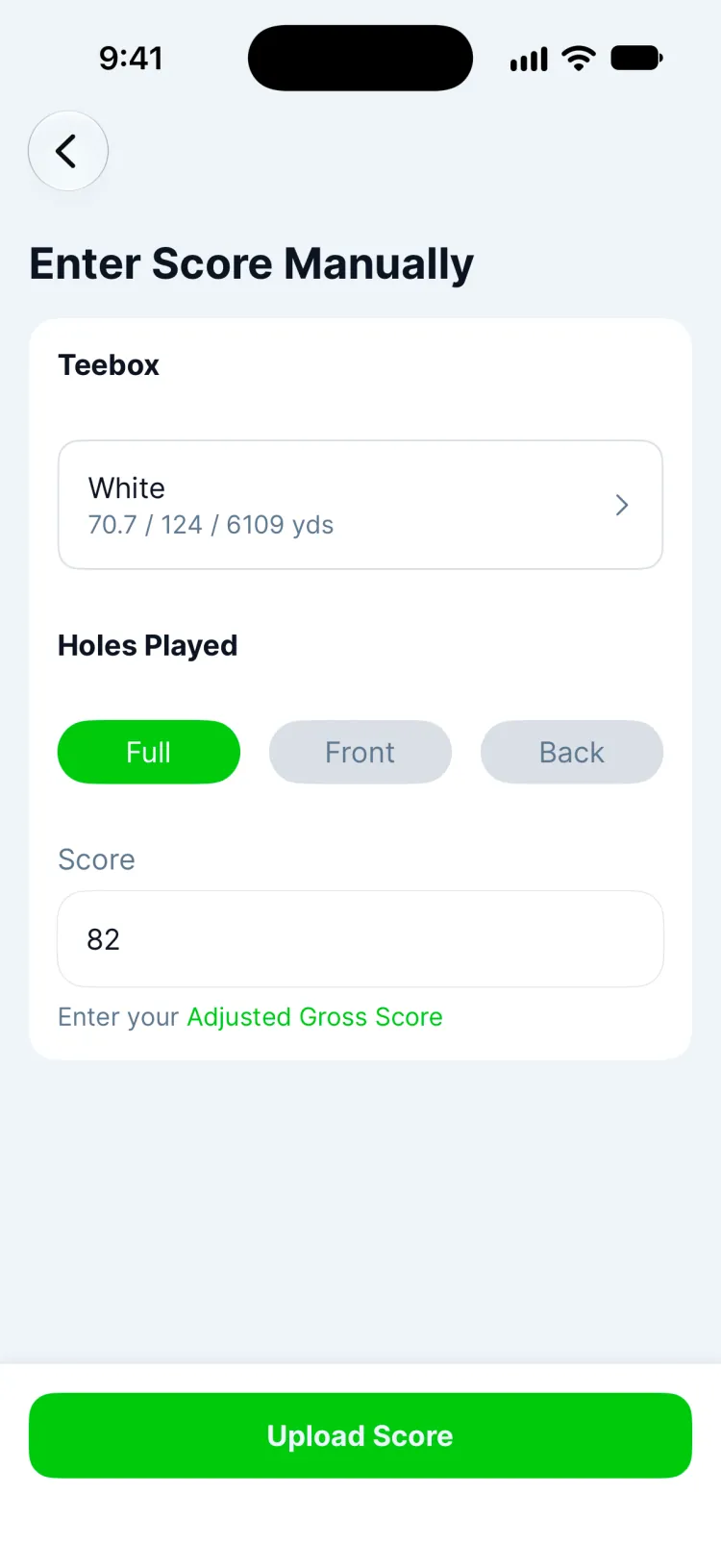
- Teebox: the tees you played, with their rating, slope and yardage.
- Holes Played: Full, Front or Back.
- Score: your adjusted gross score: your total with each hole capped at net double bogey.
3. Upload it
Tap Upload Score. The round is saved as a finished round and goes into your Greens handicap straight away. A nine-hole score counts once you have a handicap: Greens turns it into an 18-hole differential by adding half your handicap. How nine-hole rounds count.
Updated November 13, 2026 by the Greens team.